

Create and edit roles in Settings → Roles in your OpenCX dashboard. Editing roles requires the Roles settings permission (Write). For creating roles, inherited roles, and directory mappings, see Roles.
How permissions combine
- Read and Write. Most permissions have a Read and a Write checkbox. Write includes Read: ticking Write ticks Read and locks it. A few permissions are a single action and have only one checkbox.
- Full admin access. The All permissions checkbox at the top grants every permission on this page. The editor describes it as “Grants every permission below. Use sparingly.”
- The Settings umbrella. Settings (Read) grants Read on every permission nested under it. Settings (Write) grants Write on all of them. Permissions outside Settings, such as Redaction and Audit logs, are never granted by Settings.
- Nested permissions. A nested permission is included in its parent. When the parent is ticked, the nested row is ticked and locked.
- Several roles. A member with several roles gets every permission any of those roles grants. A member with no roles has no permissions.
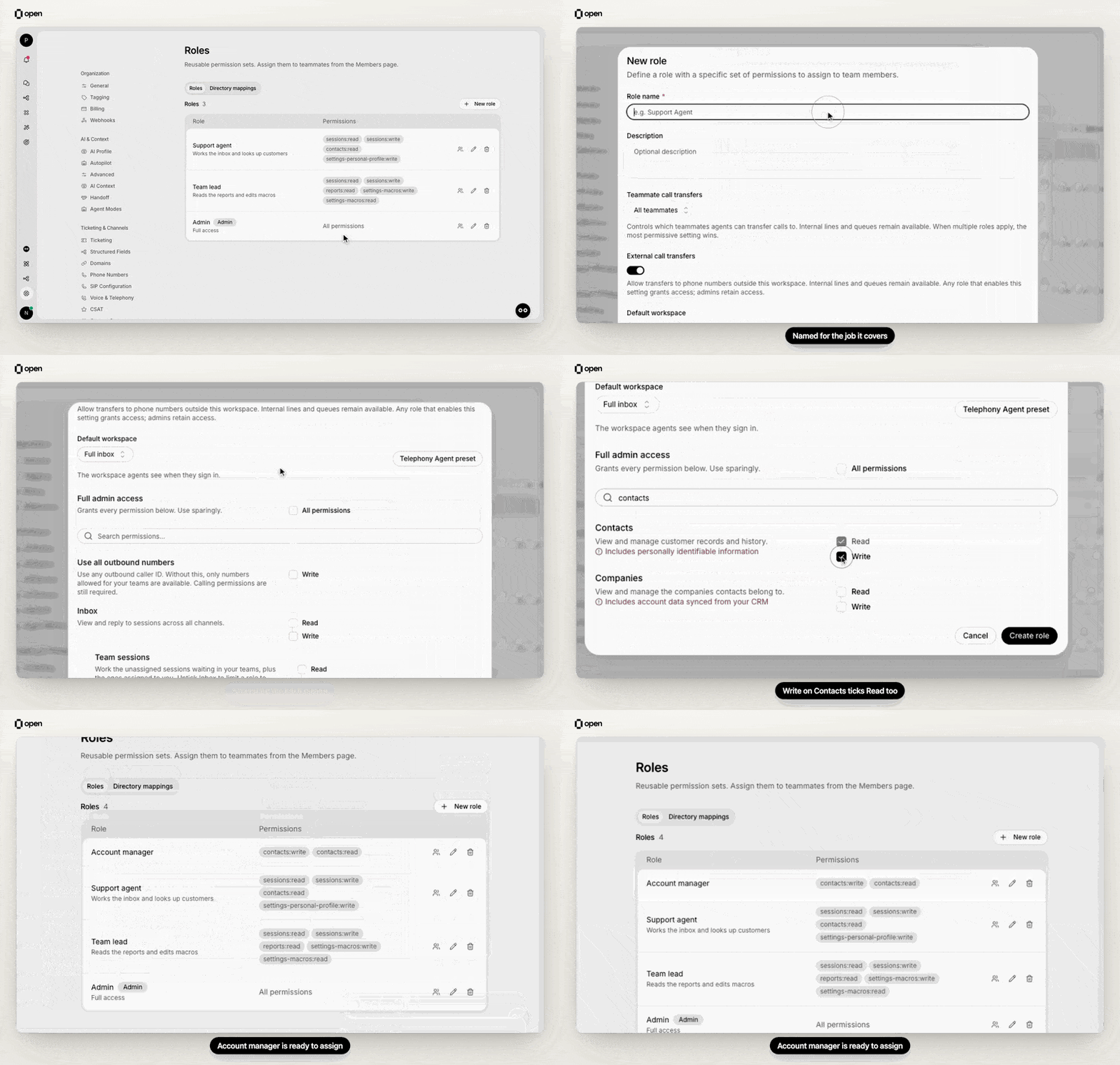
Create an Account manager role: search the permissions, tick Write on Contacts and Read follows.
Inbox and sessions
Customers, content, and automation
Settings permissions
Settings itself reads “View and change general workspace settings.” Every row below is nested under it.
Settings (Write) also unlocks Edit customer-facing alias on other members in Settings → Members. No narrower permission grants it.
Other role settings
The role editor also has three settings that are not permissions.Related Documentation
Roles
Create roles and map directory groups.
Members
Invite people and assign roles.
Audit logs
See who changed roles and access.
SSO overview
Sign-in and directory provisioning.